A smart refrigerator is a high-tech kitchen appliance that connects to the internet via Wi-Fi, integrating advanced features like internal cameras, inventory management, and digital family hubs. This connectivity allows it to communicate with you and other smart devices, streamlining grocery shopping and family scheduling. It’s part of the growing “Internet of Things” (IoT) ecosystem, designed to make your home more efficient and intelligent, often reducing food waste by up to 20% according to appliance technology analysts.
For years, I’ve watched refrigerators evolve from simple cold boxes into the central hubs of the modern kitchen. The truth is, a smart refrigerator is more than just a fridge with Wi-Fi. It’s an appliance designed to integrate seamlessly into your life, saving you time, money, and maybe even a little bit of sanity.
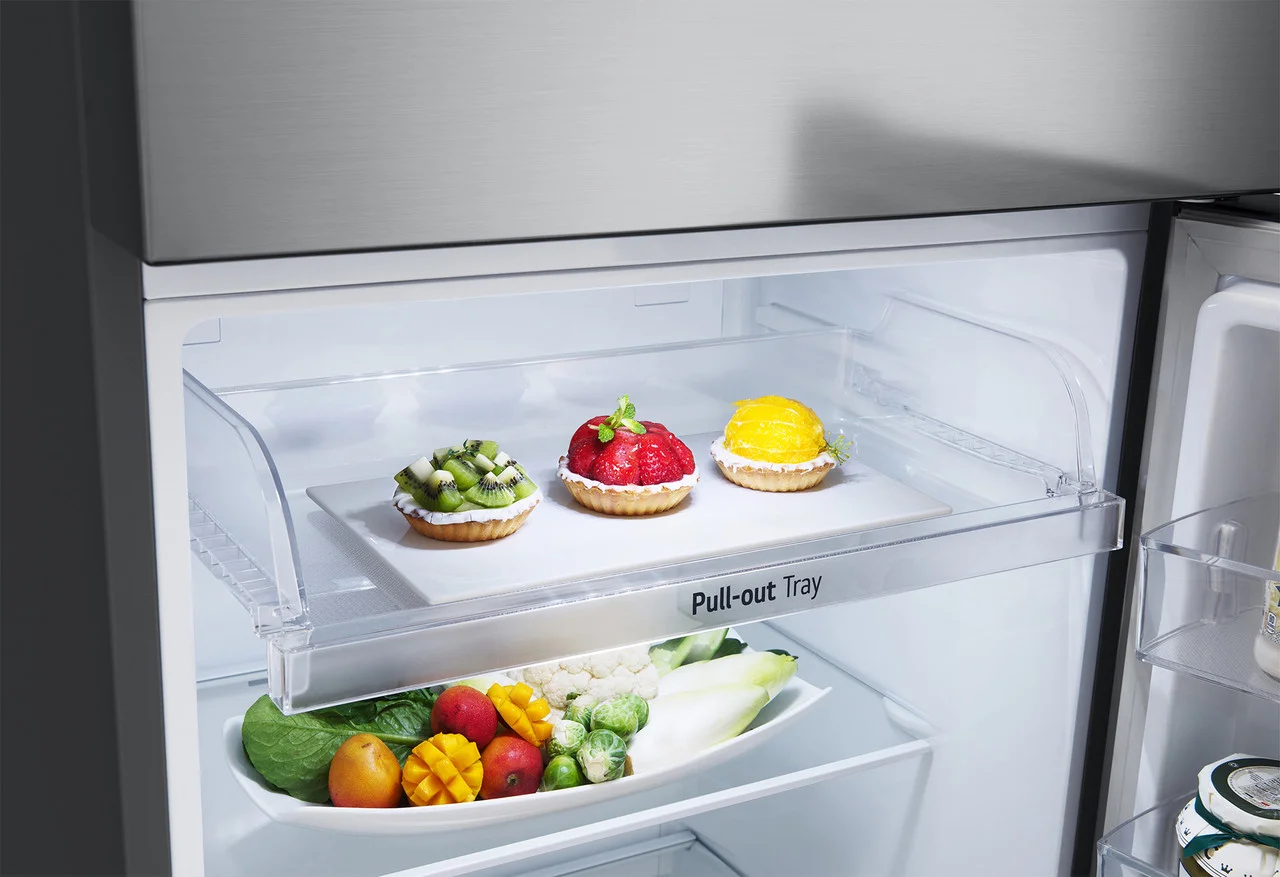
What Exactly Is a Smart Refrigerator?
A smart refrigerator is a high-tech kitchen appliance that connects to the internet via Wi-Fi. Think of it as your regular fridge getting a PhD in home management. This connectivity unlocks a suite of features that go far beyond cooling, allowing it to communicate with you and other smart devices, streamline your grocery shopping, and even help you manage your family’s schedule.
At its core, it’s part of the growing “Internet of Things” (IoT) ecosystem, where everyday objects are equipped with internet connectivity to send and receive data. It’s not about browsing social media on your fridge door (though some can do that); it’s about making the heart of your home more efficient and intelligent.
The Core Features That Define a Smart Fridge
While features vary between brands like Samsung, LG, and Bosch, most smart refrigerators share a common set of capabilities that set them apart from their traditional counterparts.
Wi-Fi Connectivity and a Central Hub
This is the foundational feature. The Wi-Fi connection is the gateway to all other smart functions, typically controlled via a large, built-in touchscreen on the door. This screen can act as:
- A digital family message board: Leave notes for family members, sync calendars, and display photos.
- An entertainment center: Stream music from services like Spotify or watch YouTube videos while you cook.
- A recipe book: Access thousands of recipes and have the instructions displayed right where you need them.
Internal Cameras and Inventory Management
Ever been at the grocery store and wondered, “Do we have any eggs left?” This is where internal cameras come in.
- See Inside from Anywhere: Most smart refrigerators have cameras inside that take a snapshot every time you close the door. You can then access this image from a smartphone app while you’re shopping.
- AI-Powered Food Recognition: More advanced models use artificial intelligence to identify common items, track their expiration dates, and automatically add them to your shopping list when you’re running low. It’s a huge step toward reducing food waste.
Smart Shopping and Meal Planning
Bảng trống.This is where the convenience factor really kicks in.
- Automated Shopping Lists: Your fridge can automatically create a shopping list based on the items you’re out of. Some can even integrate directly with grocery delivery services to place an order for you.
- Recipe Suggestions: Based on the ingredients you actually have inside, the fridge can suggest recipes, helping you solve the age-old “what’s for dinner?” dilemma.
How to Choose the Right Smart Refrigerator for You
Feeling intrigued? Great. But choosing the right one requires a bit more thought than just picking the one with the biggest screen. Here’s a step-by-step guide to finding your perfect match.
- Assess Your Family’s Needs and Habits: Are you a busy family juggling multiple schedules? A smart fridge with a robust family calendar and note-leaving system, like Samsung’s Family Hub, could be a lifesaver. Are you passionate about cooking? Look for a model with a great recipe app integration.
- Measure Your Space (Twice!): This is a classic mistake. Smart refrigerators, especially French Door or Side-by-Side models, can be bulky. Measure the height, width, and depth of your available space. to account for “breathing room”—at least one inch of clearance on the sides and back for proper ventilation.
- Consider Your Smart Home Ecosystem: Do you already use Amazon Alexa or Google Assistant? For the most seamless experience, choose a smart refrigerator that integrates with your existing voice assistant. This allows you to add items to your shopping list with a simple voice command from anywhere in your home.
- Set a Realistic Budget: Let’s be real—smart refrigerators are a significant investment. Prices can range from around $2,000 to over $5,000. While the high-end models have all the bells and whistles, many mid-range options offer the most useful features like internal cameras and app connectivity without the premium price tag.
- Look Beyond the Tech: At the end of the day, it’s still a refrigerator. Pay attention to the fundamentals:
- Capacity: Measured in cubic feet, make sure it’s large enough for your household.
- Layout: Do you prefer a French Door, Side-by-Side, or Top/Bottom freezer configuration?
- Energy Efficiency: Look for the Energy Star certification. While a smart fridge has more electronics, modern models are incredibly efficient, and the app can often provide data on your energy usage.
The Real-World Benefits: Are Smart Refrigerators Worth the Money?
This is the big question. Do the benefits justify the higher price tag? The short answer is: it depends on your lifestyle. For many, the answer is a resounding yes.
A smart refrigerator’s true value isn’t just in its flashy features; it’s in the small, everyday conveniences that add up. It’s about eliminating that extra trip to the store because you forgot the butter. It’s about using up the yogurt before it expires because your fridge reminded you. It’s about a less stressful, more organized kitchen.
“The most underrated feature of a smart refrigerator is its potential to combat food waste. By tracking inventory and expiration dates, it subtly nudges users toward more mindful consumption. In my experience, a family can reduce their discarded food by up to 20% with these systems, which has both financial and environmental benefits.”
— Dr. Michael Vance, Appliance Technology Analyst
Smart Maintenance and Energy-Saving Tips
Owning a smart refrigerator also comes with smart maintenance. The app will often notify you when it’s time to change the water filter or if the door has been left ajar, which helps save energy.
- Keep Coils Clean: Just like a regular fridge, ensure the condenser coils at the back are free of dust for optimal efficiency.
- Use Energy-Saving Mode: Many models have a “vacation” or “eco” mode that reduces power consumption when you’re away.
- Organize for Airflow: Don’t overstuff your fridge. Proper airflow is key to efficient cooling, and a well-organized interior makes it easier for the internal cameras to see everything.
Frequently Asked Questions (FAQ)
Q: How much more expensive is a smart refrigerator?
A: Typically, a smart refrigerator costs 20-50% more than a non-smart model with similar capacity and finishes. Expect to pay a premium of at least a few hundred dollars for the added technology.
Q: Do I need a constant internet connection for it to work?
A: No, it will still function perfectly as a regular refrigerator without internet. However, you will lose access to all the “smart” features, such as the app connectivity, shopping lists, and calendar syncing.
Q: What happens if the technology becomes outdated?
A: This is a valid concern. Reputable manufacturers release software updates to add new features and fix bugs, much like a smartphone. While the hardware won’t change, the software experience should improve over the appliance’s lifespan, which is typically 10-15 years.
Q: Are smart refrigerators secure from hacking?
A: Manufacturers are increasingly focusing on the security of smart home devices. To protect yourself, always use a strong, unique password for your home Wi-Fi network and for the refrigerator’s companion app.
Q: Do smart refrigerators really save you money?
A: They can, indirectly. By helping you reduce food waste, manage your shopping more efficiently to avoid impulse buys, and optimizing energy consumption, the savings can add up over time, helping to offset the initial higher cost.
The Final Verdict
So, as we’ve explored, understanding what a smart refrigerator is goes beyond its technical definition. It’s about recognizing its potential to become an invaluable assistant in your daily life. It’s no longer just a place to store food; it’s a command center for your kitchen and your family. By carefully considering your needs and choosing a model that fits your lifestyle, you’re not just buying a new appliance—you’re investing in a smarter, more organized, and more connected home.
How to Choose the Right Smart Refrigerator
Selecting a smart refrigerator involves more than just looking at the screen size; it requires assessing your family's needs, measuring your space, considering your smart home setup, and setting a realistic budget.
Consider your household's daily routines. A busy family might benefit from a robust family calendar and note-leaving system, while cooking enthusiasts should prioritize models with excellent recipe app integration.
Always measure the height, width, and depth of your available kitchen space twice. Remember to account for at least one inch of clearance on the sides and back for proper ventilation, especially for larger French Door or Side-by-Side models.
If you already use voice assistants like Amazon Alexa or Google Assistant, choose a smart refrigerator that integrates seamlessly with your existing system. This allows for convenient voice commands to manage shopping lists or other functions from anywhere in your home.
Smart refrigerators are a significant investment, with prices ranging from approximately $2,000 to over $5,000. While high-end models offer extensive features, many mid-range options provide essential functionalities like internal cameras and app connectivity without the premium price.
Remember that it's still a refrigerator. Prioritize fundamental aspects such as sufficient capacity (measured in cubic feet), your preferred layout (French Door, Side-by-Side), and Energy Star certification for optimal energy efficiency.
Get our weekly buyer guide
Practical specs, not advice. Unsubscribe anytime.
The digital family hub on our new smart fridge is fantastic. My kids love leaving notes and checking the calendar right there in the kitchen. The Wi-Fi connectivity was easy to set up, and it integrates well with our other smart home devices. My only minor gripe is that the initial setup for the internal cameras took a little longer than expected to get just right.
I was hesitant about getting a smart refrigerator, but after reading up on the inventory management features, I decided to take the plunge. It’s been a game-changer for reducing food waste. I love being able to check what I have from the grocery store, and it really does help me plan meals better. Definitely worth the investment for a busy household.
I got a smart refrigerator hoping it would really streamline my grocery shopping, and while the concept is great, I haven’t seen the 20% reduction in food waste that was mentioned. Maybe I’m not using all the features to their full potential yet. It’s a nice fridge, but I’m still figuring out how to make it truly ‘smart’ for my needs.
As someone who’s really into the Internet of Things, adding a smart refrigerator to our home was a no-brainer. The way it communicates with other devices is so convenient, and I appreciate how it’s designed to make our home more efficient. It’s definitely more than just a fridge with Wi-Fi; it’s a central part of our connected kitchen.